NVIVO Assignment Help from Qualitative Research Specialists
In the modern academic and professional landscape, qualitative data analysis is becoming increasingly significant. NVIVO, one of the most widely used software tools for qualitative research, helps students and professionals manage, analyze, and draw meaningful insights from complex datasets. However, mastering NVIVO and applying it effectively in your own research can be challenging. That’s where our NVIVO assignment help services come in — providing expert guidance so you can run your analysis confidently and achieve excellence in your research projects.
Why Learn NVIVO?
NVIVO is one of the most widely used qualitative data analysis software packages for academic and professional research. Learning NVIVO helps students and researchers organize, code, analyze, and visualize qualitative data efficiently. It is widely used in universities, research institutions, and industries for evidence-based decision-making.

What Is NVivo and Why Do Students Use It?
NVivo is qualitative data analysis software that helps you organise, code and interpret interviews, focus groups, documents and open-ended survey responses. Instead of managing hundreds of pages by hand, you can assign codes, retrieve relevant extracts and compare responses across participants or groups.
NVivo supports the analysis, but it does not do the research for you. You still have to identify patterns, develop themes and justify every analytical decision.
Understanding the Interface
The complexity of NVIVO’s tools can be overwhelming for beginners.
Data Import Issues
Formatting and importing diverse data types correctly.
Coding Difficulties
Applying codes accurately and organizing them hierarchically.
Query and Analysis Problems
Using advanced queries, such as matrix coding and cross-tabulation.
From Our Blog
Helpful resources and guides related to this topic
NVIVO vs Dedoose
While NVIVO is desktop-based and designed for detailed qualitative research, Dedoose is cloud-based and ideal for collaborative research projects. Both support qualitative coding, but NVIVO provides more advanced analytical capabilities.
NVIVO: Desktop software, advanced coding & queries and large datasets.
Dedoose: Cloud-based platform, team collaboration and web accessibility.

Meet our top NVIVO expert, Biplab Paul
Biplab Paul is an experienced NVivo and qualitative data analysis expert with a strong background in academic research. He specialises in qualitative coding, thematic analysis, interview data analysis, and research data management using NVivo. His expertise helps researchers transform complex qualitative data into clear, meaningful, and research-ready findings.
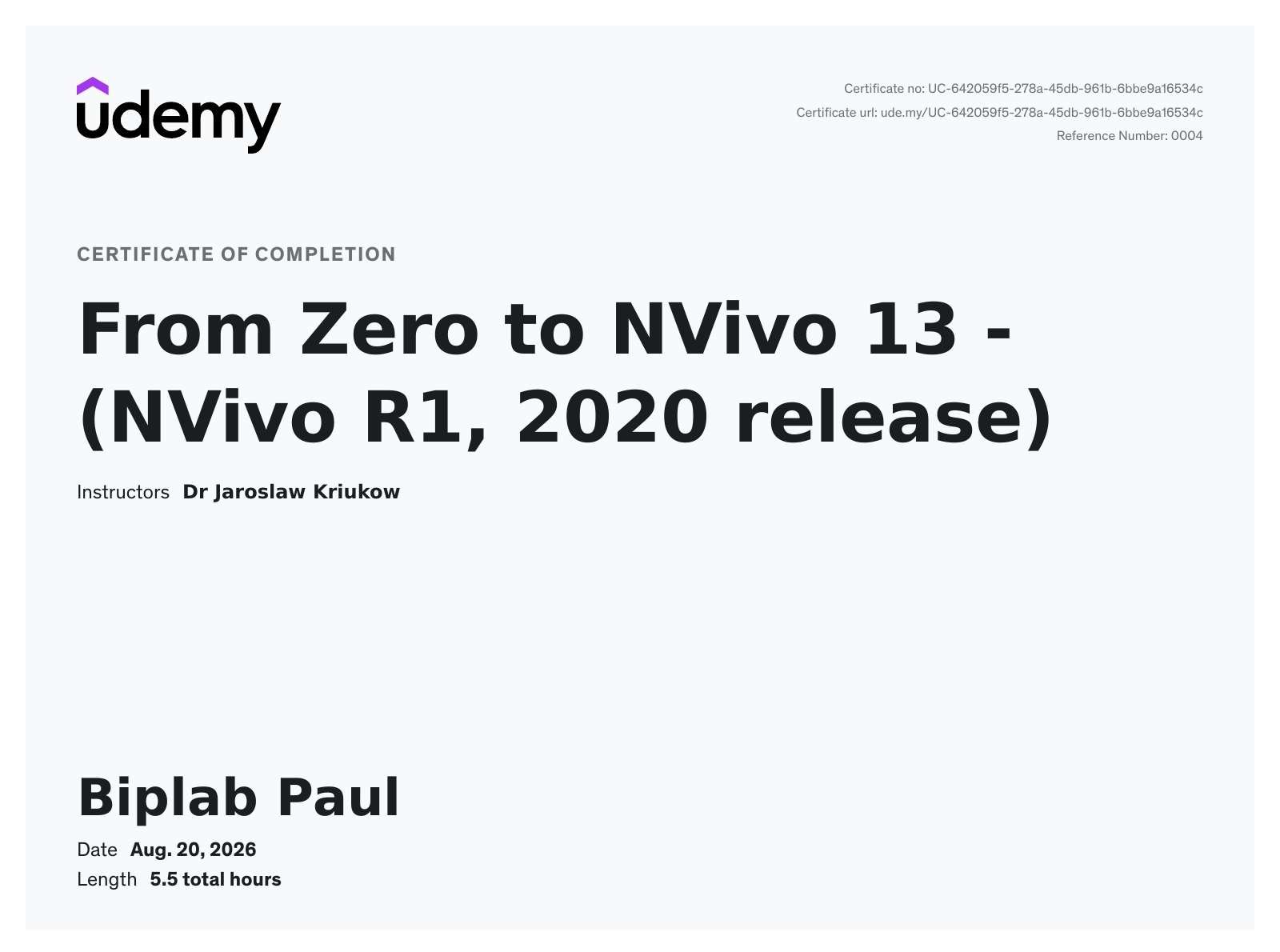
NVIVO certification obtained by Biplab
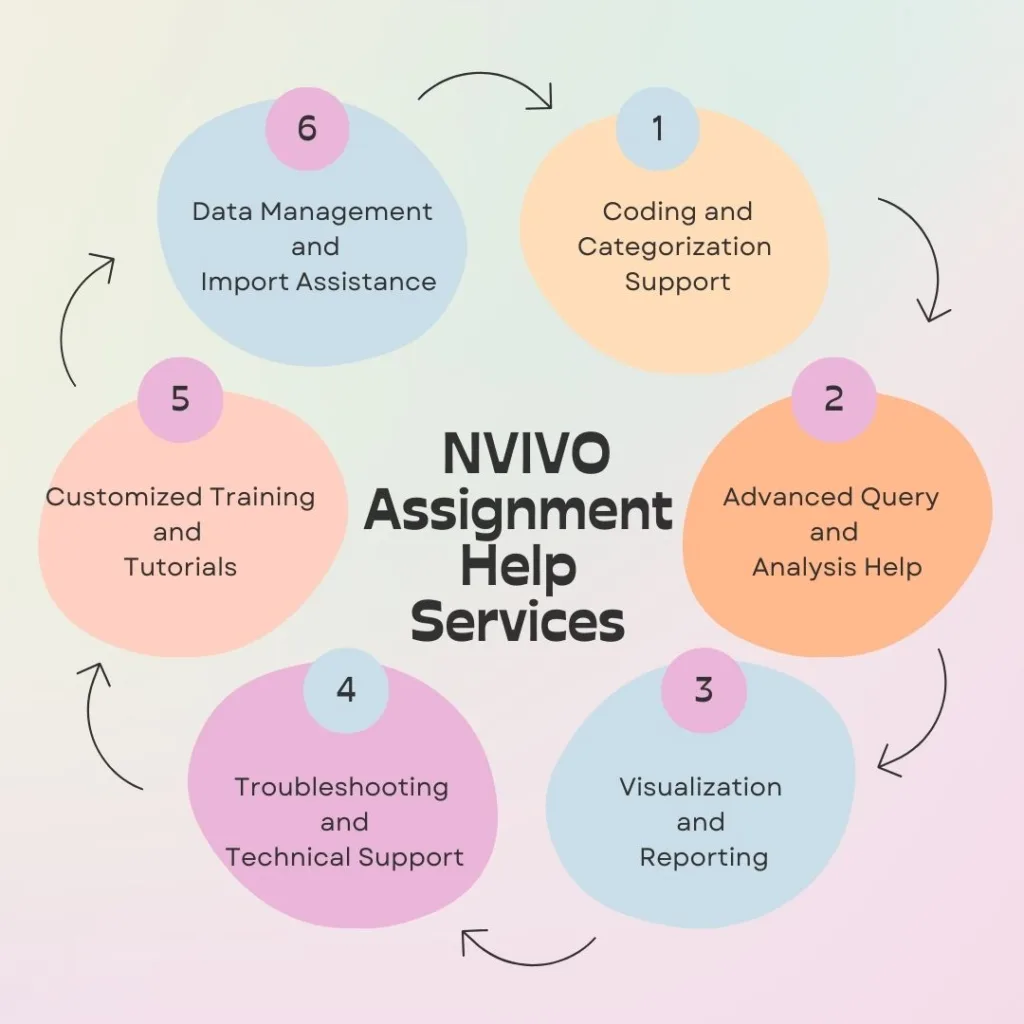
Our NVIVO Assignment Help Services
Data Management and Organisation Guidance on structuring raw interview transcripts, focus group recordings, survey responses, and documents into a clean, well-organised NVIVO project — covering source classification, case setup, and attribute coding so your data is ready for analysis from day one.
Coding and Categorization Support Helping you build coherent coding frameworks (deductive, inductive, or hybrid), apply nodes and sub-nodes consistently across large datasets, and refine your code structure as themes emerge.
Thematic and Content Analysis Working alongside you to identify and develop themes from your data, run word frequency and text search queries, and produce clear, defensible thematic maps that connect back to your research questions.
Matrix Coding and Framework Queries Training on how to run matrix coding queries to compare coding patterns across cases or demographic groups, and how to build framework matrices for structured qualitative or mixed-methods analysis.
Mixed-Methods Data Integration Advice on combining qualitative coding in NVIVO with quantitative data (e.g., from SPSS) for mixed-methods studies, including joint displays and triangulation of findings.
Visualization and Reporting Showing you how to produce word clouds, tree maps, cluster analyses, and coding comparison diagrams — and how to interpret that output so it translates into your own results and discussion sections.
Literature and Systematic Review Support Using NVIVO to code and organise sources for systematic literature reviews, including techniques for theme extraction across large volumes of academic papers.
Software Training and Walkthroughs Guided, one-to-one walkthroughs of specific NVIVO functions — query building, node management, and interpreting output — at whatever pace suits you.
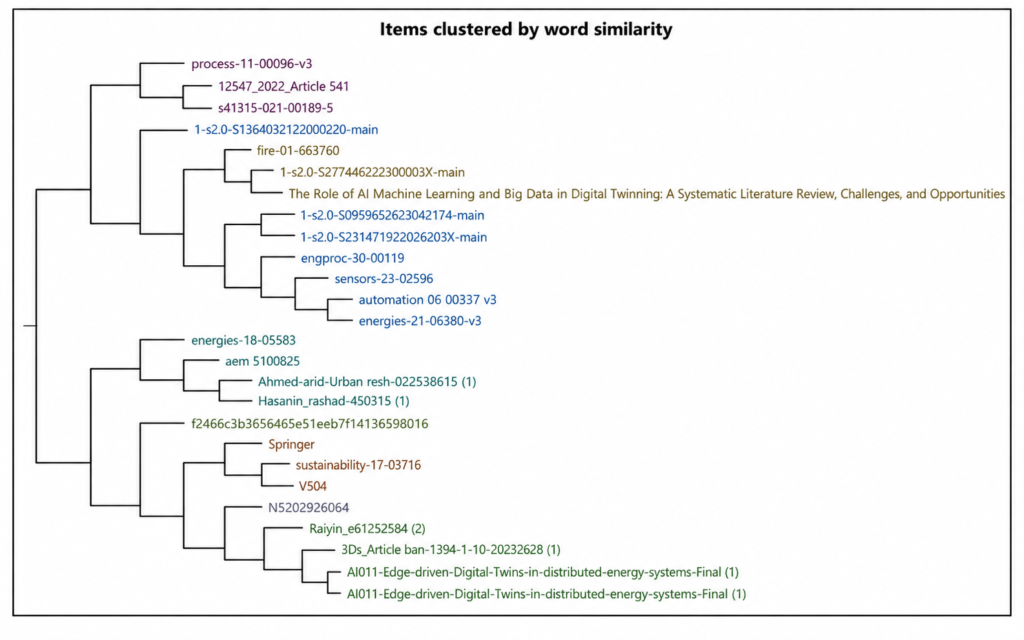
From Raw Transcripts to Final Themes: The NVivo Workflow
A structured workflow keeps qualitative analysis transparent: Raw data → Import → Familiarisation → Initial coding → Codebook → Nodes → Categories → Themes → Queries → Visualisation → Interpretation → Reporting.
In NVivo, a node groups extracts around a concept, issue or emerging theme, and a child node is a more specific subcategory under a broader parent node. For example, a parent node called Barriers to Online Learning can hold child nodes such as technology problems, internet connectivity, lack of digital skills and financial barriers.
Use clear node labels, keep definitions consistent, merge overlapping codes and avoid coding every sentence.
Thematic Analysis in NVivo: Braun and Clarke’s Six Steps
NVivo can support each phase of Braun and Clarke’s thematic analysis framework:
1. Familiarisation with your transcripts
2. Generating initial codes
3. Searching for themes
4. Reviewing themes
5. Defining and naming themes
6. Producing the report with coded extracts and supporting literature
The software organises and retrieves your evidence, but interpreting the findings remains the researcher’s job.
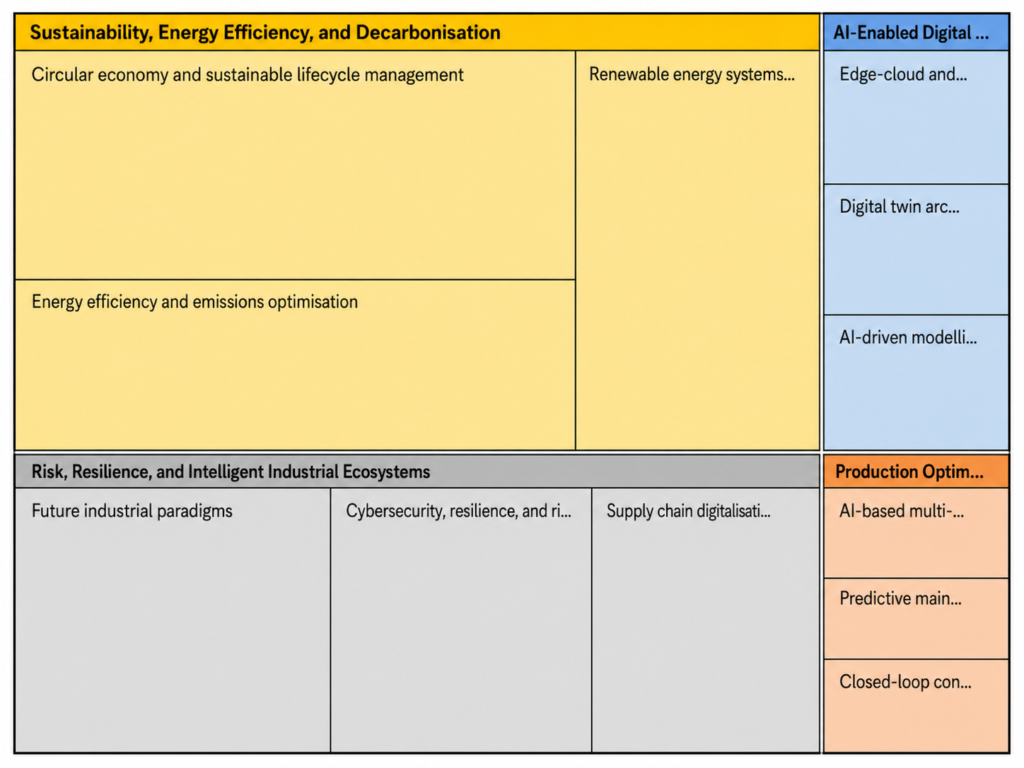
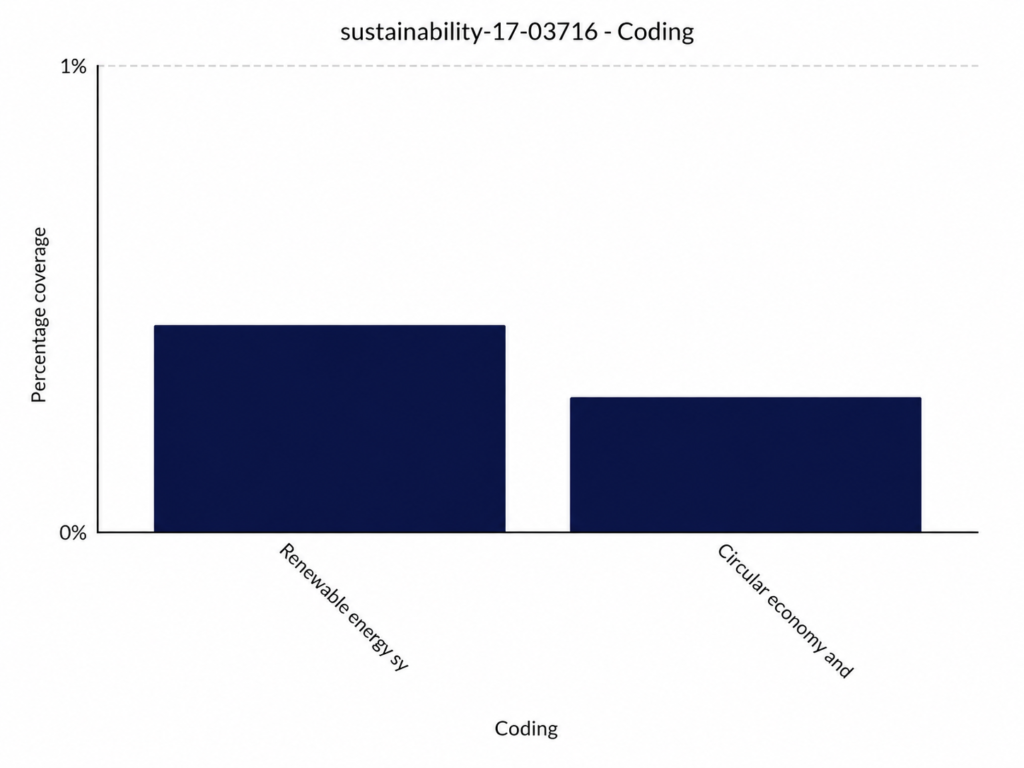
Matrix Coding Queries: Compare Groups and Themes
A Matrix Coding Query cross-tabulates two dimensions, for example participant groups (rows) against nodes such as workload or technical support (columns). It helps you see whether different groups experience the same themes differently.
The matrix is not just a frequency table. A higher number of coding references does not automatically mean a theme matters more, so always return to the original coded extracts to interpret what the pattern means.
Mixed-Methods Research: Survey Scores and Open-Ended Responses
Numbers show what is happening, while participants’ own words explain why. NVivo can help you organise open-ended responses alongside survey information, for example linking low satisfaction ratings to recurring themes such as workload, technical difficulties or poor communication.
The real value comes from integrating both types of evidence, not simply placing them side by side.
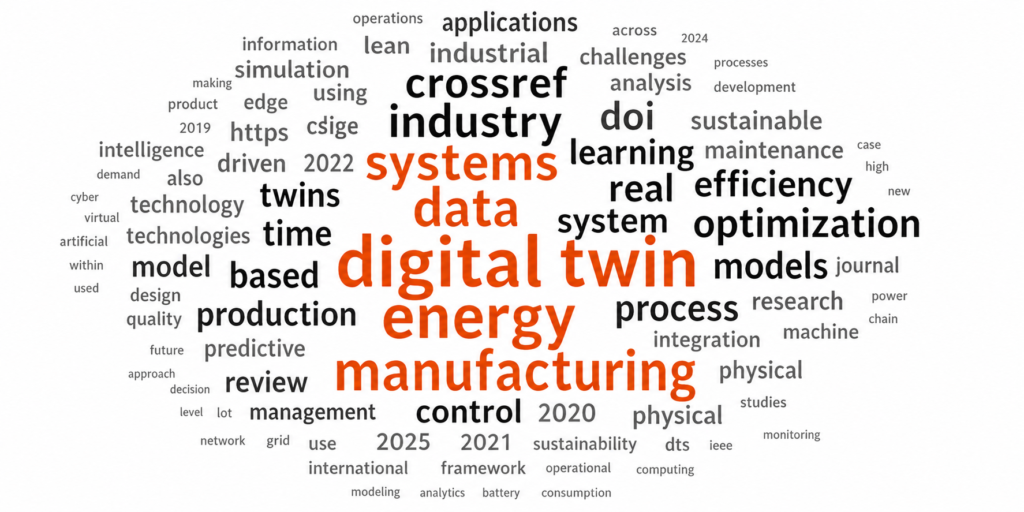
Common NVivo Mistakes Students Should Avoid
1. Creating too many nodes – group similar ideas and give every node an analytical purpose.
2. Treating NVivo output as findings – word clouds and coding counts are not conclusions; explain what they mean.
3. Coding without a clear research question – keep your coding tied to your objectives.
4. Ignoring an audit trail – record why nodes were created, merged or renamed.
5. Relying too heavily on auto-coding – AI-suggested codes still need human review for context, tone and meaning.
NVIVO vs MAXQDA
NVIVO is widely used for academic research and complex qualitative analysis, whereas MAXQDA is popular for mixed-methods research and multilingual datasets. We help students and researchers work confidently in both packages.
NVIVO: Extensive coding features, popular in universities and advanced visualization.
MAXQDA: Mixed-methods support, excellent document management and easy collaboration features.
Who Can Benefit from Our NVIVO Assignment Help?
Our NVIVO assignment help services are designed for a diverse audience, including:
Students: Building the qualitative analysis skills needed for dissertations, theses, or coursework.
Researchers: Conducting academic or industrial research projects.
Professionals: Working on market research, policy analysis, or social media analysis.
Organizations: Enhancing teamwork and collaboration on NVIVO projects.
Postgraduate and PhD researchers conducting qualitative or mixed-methods studies
Professionals conducting workplace or market research using qualitative data
NVIVO vs ATLAS.ti
Both NVIVO and ATLAS.ti are leading qualitative data analysis software, but they suit different research needs. NVIVO offers advanced coding, visualization, and mixed-methods analysis, while ATLAS.ti is known for its intuitive interface and flexible coding features. Our experts provide assistance with both platforms.
NVIVO: Advanced qualitative analysis, strong visualization tools and ideal for large research projects.
ATLAS.ti: Flexible qualitative coding, user-friendly interface and great for quick qualitative studies.
Frequently Asked Questions
Can you help with NVIVO for my thesis or dissertation, not just a single assignment?
Yes. We support students at every stage — from setting up your initial project and coding framework through to refining your thematic analysis as you write up your chapters.
Do you teach me how to use NVIVO myself?
Yes — that’s the core of what we do. Sessions are built around your own dataset and research questions, so you learn the software on the material you’re actually working with rather than a generic practice file.
Which versions of NVIVO do you support?
We work with current versions of NVIVO, including NVivo 14 and earlier releases, for both Windows and Mac.
Is my data kept confidential?
Yes. All data, transcripts, and project files you share are handled confidentially and are not used or shared beyond the scope of your project.
How long does NVIVO support usually take?
It depends on dataset size and analysis complexity — a focused session on a specific function might take an hour or two, while support across a full thematic analysis runs over several weeks. We’ll confirm a specific plan once we see your project.
Can you help with interrater reliability or coding comparison queries?
Yes, including how to run coding comparison queries and calculate Kappa coefficients where multiple coders are involved in a project.
Can you help if my supervisor asks for changes to my approach?
Yes. If your supervisor or examiner raises questions about your coding framework, query design, or how you’ve presented your findings, we’ll work through the methodology with you so you can address the feedback.