
Last updated on September 30th, 2026 at 01:16 pm
Students often collect hundreds of pages of interviews, focus groups, transcripts or open-ended survey responses but struggle to turn this information into meaningful findings. NVivo for students provides a structured way to organise, code, compare and interpret qualitative research data. As a powerful qualitative data analysis software, NVivo supports researchers throughout the analysis process, from importing transcripts and creating nodes to developing a codebook and conducting thematic analysis. This guide explains practical NVivo coding, data visualisation, matrix coding, audit trails and common mistakes to avoid. It also explains how AI tools can support NVivo analysis while keeping critical thinking and researcher judgement at the centre of the process.
What Is NVivo and Why Do Students Use It?
NVivo is a qualitative data analysis software designed to help researchers organise, code and interpret large amounts of non-numerical data. Students commonly use NVivo for qualitative research projects involving interviews, focus groups, documents, open-ended questionnaire responses and where applicable, audio or video material. Instead of managing hundreds of pages manually, researchers can use NVivo to organise sources, assign codes, retrieve relevant extracts and compare responses across participants or groups.
Understanding how to use NVivo for qualitative research can make the analysis process more systematic and transparent. However, NVivo does not do the research for the student. The researcher remains responsible for identifying meaningful patterns, interpreting participants’ experiences, developing themes and documenting analytical decisions. In this way, NVivo acts as a research management and analysis tool that supports, rather than replaces, the researcher’s critical thinking and methodological judgement.
From Raw Transcripts to Final Themes: The NVivo Workflow
A structured NVivo workflow helps students move systematically from raw qualitative data to meaningful findings. The overall process can be understood as:
Raw data → Import → Familiarisation → Initial coding → Codebook → Nodes → Categories → Themes → Queries → Visualisation → Interpretation → Reporting
Step 1 – Prepare Your Transcripts
Before importing data, check transcription quality, remove identifying information, assign participant IDs and use consistent formatting. For example:
- Participant 01
Interviewer: What challenges have you experienced?
Participant: The biggest challenge has been…
- Step 2 – Import Data into NVivo
- Import relevant Word, PDF or text files into NVivo and organise them using appropriate folders, source classifications or participant groups.
- Step 3 – Familiarise Yourself With the Data
Familiarisation helps you understand context and recognise recurring ideas rather than blindly assigning codes.
Read the transcripts carefully before coding.
- Step 4 – Begin Initial Coding
- Identify meaningful sections of text and assign appropriate nodes. This is the foundation of NVivo coding.
- Step 5 – Develop Categories and Themes
- Group related codes into broader categories and themes:
Quote → Code → Category → Theme
For example, comments about poor internet, limited devices, and technical difficulties may form technology-related codes, which can contribute to a broader theme such as Digital Access Barriers. The researcher must interpret these relationships rather than relying solely on software output.
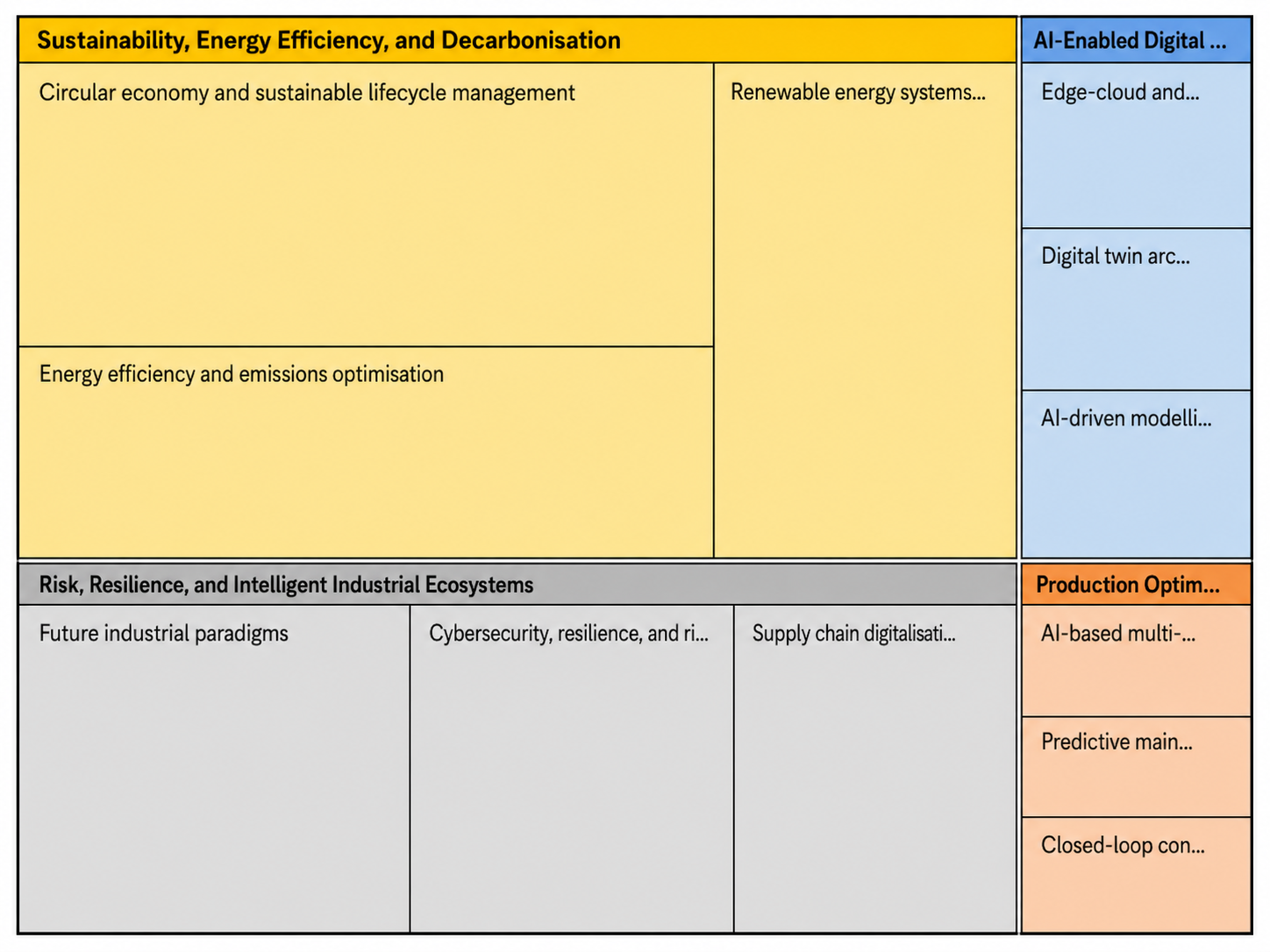
Mastering the NVivo Codebook: Nodes and Child Nodes
A well-organised codebook is essential for a clear and consistent NVivo coding process. In NVivo, a node represents a concept, idea, issue, behaviour or emerging theme identified within qualitative data. Researchers use nodes to group relevant sections of interviews, focus groups or documents. A child node is a more specific subcategory placed under a broader parent node.
For example, a parent node called Barriers to Online Learning could contain:
- Technology problems
- Internet connectivity
- Lack of digital skills
- Financial barriers
Using NVivo nodes and child nodes helps students move from broad concepts to more specific patterns without losing the structure of their analysis. However, creating too many nodes can make coding qualitative data in NVivo confusing and difficult to manage.
Do this:
- Use clear and meaningful node labels.
- Keep node definitions consistent.
- Merge duplicate or overlapping codes.
- Maintain an updated NVivo codebook.
Avoid this:
- Coding every sentence unnecessarily.
- Creating several nodes with similar meanings.
- Changing node meanings repeatedly.
- Creating codes without a clear analytical purpose.
A strong codebook should reflect your research questions and support systematic interpretation rather than simply increasing the number of codes.
Thematic Analysis in NVivo: Applying Braun and Clarke’s Six Steps
Thematic analysis in NVivo provides students with a structured way to identify patterns and develop meaningful themes from qualitative data. The widely used Braun and Clarke thematic analysis framework consists of six phases, which can be supported by NVivo throughout the research process.
- Phase 1 – Familiarisation
Read and reread your transcripts to understand the data, noting recurring ideas and potentially important observations.
- Phase 2 – Generating Initial Codes
Use NVivo coding to identify relevant sections of text and assign descriptive codes representing important concepts or experiences.
- Phase 3 – Searching for Themes
Group related codes together and examine how they may contribute to broader themes.
- Phase 4 – Reviewing Themes
Check whether proposed themes are coherent and accurately reflect the dataset. Some themes may need to be combined, separated, or removed.
- Phase 5 – Defining and Naming Themes
Clearly define the focus of each theme and give it a concise, meaningful name that reflects its analytical significance.
- Phase 6 – Producing the Report
Use relevant coded extracts, interpretation and supporting literature to construct your findings and answer the research questions.
Learning how to do thematic analysis in NVivo can make data management more systematic, but NVivo does not interpret the findings for you. It supports organisation and retrieval, the researcher remains responsible for critical interpretation and analytical decisions.
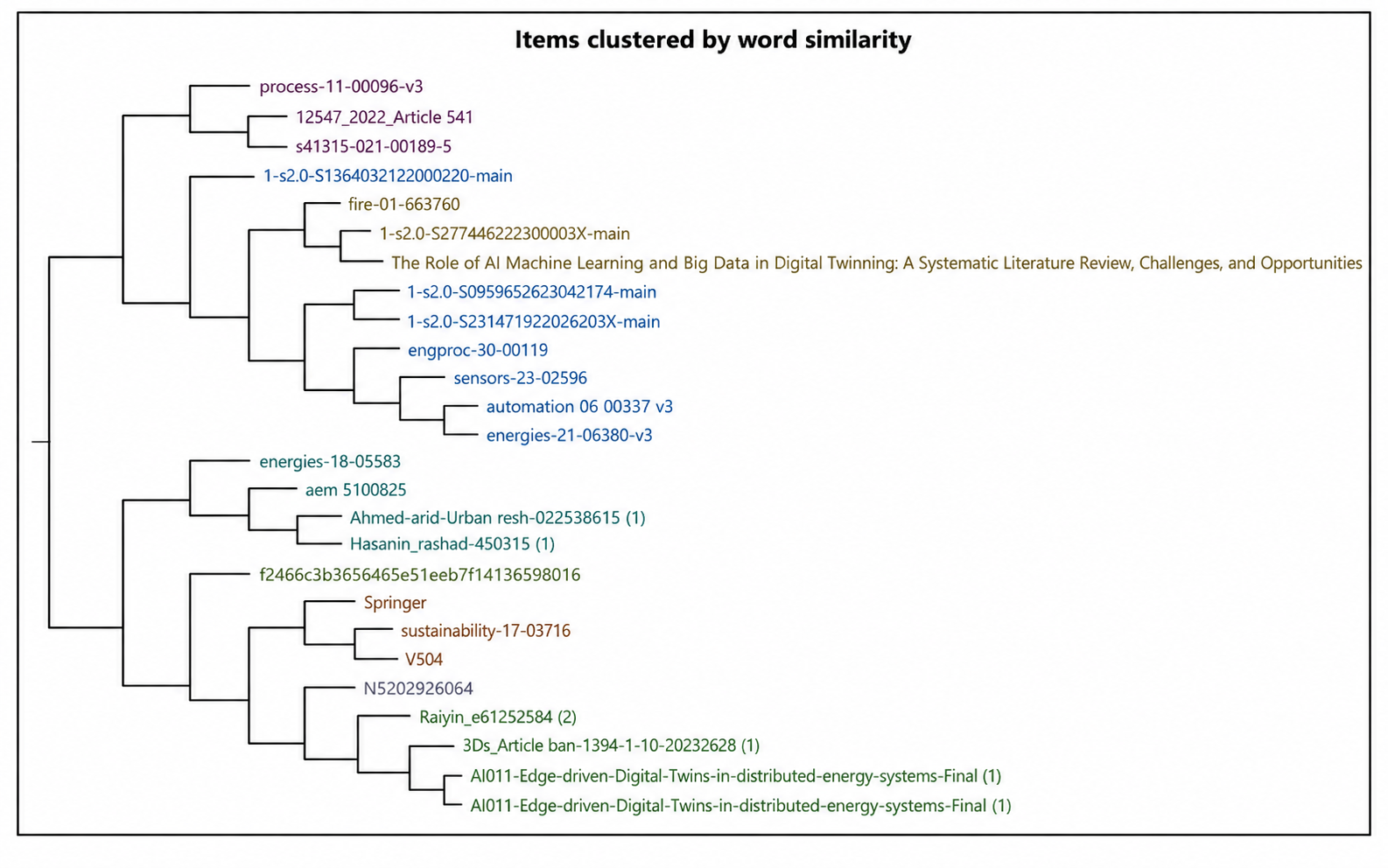
Visualising Qualitative Data in NVivo
NVivo data visualisation tools can help students present complex qualitative information in a clearer and more accessible way. However, visualisations should support interpretation rather than replace detailed qualitative analysis.
- Word Clouds
An NVivo word cloud displays words that occur frequently within selected qualitative data. It can provide a quick overview of commonly used terms and help identify areas for further investigation. However, frequency alone does not determine analytical importance. A frequently appearing word does not automatically represent an important theme, particularly when context and meaning are considered.
- Hierarchy Charts
An NVivo hierarchy chart can visually represent the relationship between parent and child nodes. For example, a broad node such as Barriers to Learning may contain child nodes such as Technology, Finance and Skills. This makes the structure of the coding framework easier to understand.
- Framework Matrices
An NVivo framework matrix can help researchers compare coded information across different groups or cases. Students may use matrices to examine:
- Participants
- Cases
- Demographic groups
- Themes
- Categories
These visual tools can strengthen presentations and analysis, but researchers should always explain what the visualisation means and connect it to the research questions rather than treating the graphic itself as a finding.
Cross-Tabulation Made Simple: Matrix Coding Queries in NVivo
If you have coded an interview transcript in NVivo, you may already know how to identify themes. But the more interesting question is: do different groups of participants experience those themes differently?
This is where a Matrix Coding Query in NVivo becomes useful.
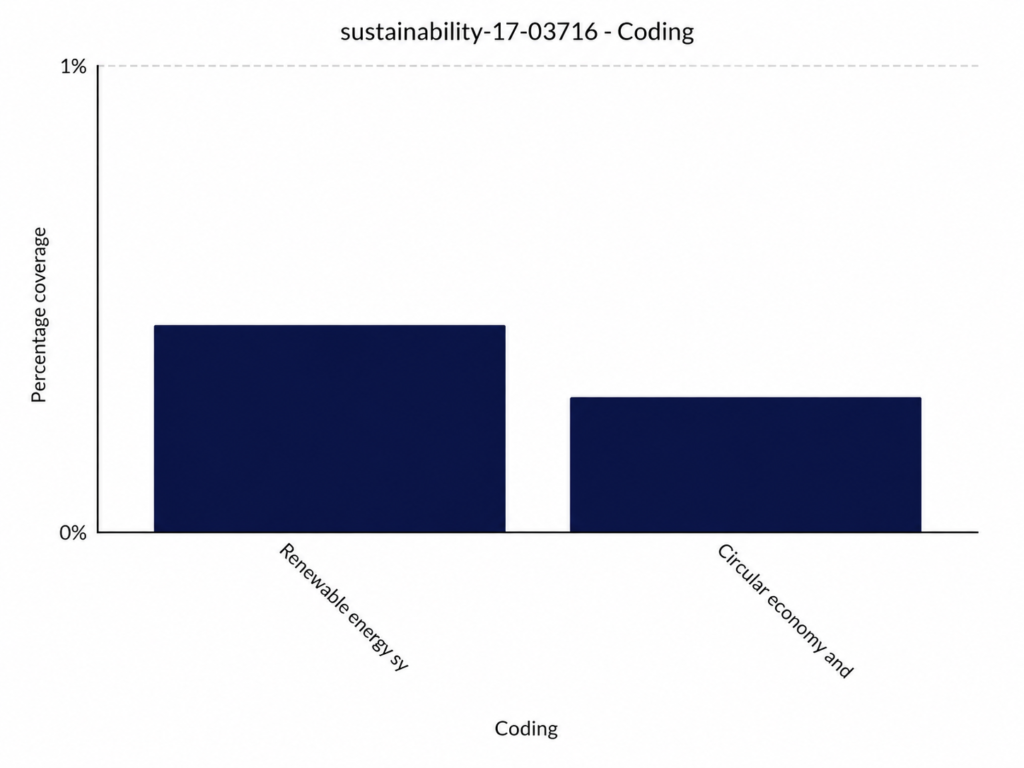
A Matrix Coding Query lets you cross-tabulate coding patterns by comparing two dimensions, such as participants and themes.
How does it work?
Nature, in the common sense, refers to essences unchanged by man; space, the air, the river, the leaf. Art is alied to thSuppose your research explores student’s experiences with online learning.
You could compare:
Rows: Participant groups, such as undergraduate and postgraduate students.
Columns: Nodes such as interest problems, workload and technical support.
Cells: The coding relationship between each group and each theme.
The resulting matrix can reveal patterns that are difficult to spot by reading transcripts individually.
e me of his will with the same things, as in a house, a canal, a statue, a picture.
Useful insight students often miss
The matrix is not simply a frequency table. A higher number of coding references does not automatically mean that a theme is more important. For example, postgraduate students may have fewer references to “workload” but describe much more serious consequences in their interviews.
Therefore, use the matrix to locate patterns, then return to the original coded extracts to interpret their meaning.
Choosing the Right Coding Strategy for Your NVivo Assignment
Choosing a coding strategy for an NVivo assignment is not simply about deciding which buttons to click in the software. Your coding strategy should match your research question, methodology and type of qualitative data. NVivo helps you organise and analyse data, but it does not decide which methodology is appropriate for your study.
Thematic Analysis
Thematic analysis in NVivo is useful when your goal is to identify patterns and themes across interviews, focus groups or open-ended responses. You typically move from initial codes to broader categories and, eventually, well-defined themes.
Grounded Theory
Grounded theory is more appropriate when your research aims to develop an explanation or theory from the data. Coding usually progresses through increasingly analytical stages as relationships between concepts become clearer.
Content Analysis
Content analysis works well when you want to systematically categorise textual material and examine patterns across those categories. It can be particularly useful when your research has clearly defined coding categories.
Before starting your NVivo coding process, ask:
- What is my research question?
- Am I identifying themes, developing theory or categorising content?
- Are my codes derived mainly from the data, existing literature, or both?
- How will my coding decisions support my methodology?
The key lesson
Do not choose a methodology because NVivo has a particular feature. Choose your methodology first, then use NVivo to support it. This distinction can make your NVivo assignment more academically rigorous and easier to defend.
Mixed-Methods Research: Using Survey Data and Open-Ended Responses
Mixed-methods research becomes especially valuable when numbers tell you what is happening, while participants’ written responses help explain why it is happening. NVivo can support this process by helping researchers organise and analyse open-ended responses alongside relevant survey information.
For example, imagine a student survey asks participants to rate their satisfaction with online learning and then explain their rating in an open-ended question. The numerical rating provides a measurable outcome, while the written response can reveal themes such as workload, technical difficulties or lack of interaction.

The insight that matters
Do not treat mixed-methods analysis as simply putting numbers and themes side by side. The real value comes from integrating the two types of evidence.
For example, if participants with low satisfaction scores repeatedly mention poor communication, the qualitative findings can provide context for the quantitative pattern. This makes NVivo qualitative data analysis more meaningful and can lead to stronger research conclusions.
The 5 Biggest NVivo Mistakes Students Make
NVivo can make qualitative data analysis more organised, but using the software does not automatically make your research rigorous. Students often focus on learning the features while overlooking the analytical decisions behind them. Avoiding these common mistakes can make your NVivo assignment clearer, more defensible and easier to explain.
1. Creating Too Many Nodes
Creating a new node for every interesting sentence can quickly produce an unmanageable codebook. Instead, group similar ideas and create nodes that have a clear analytical purpose.
2. Treating NVivo Output as Your Findings
Charts, word clouds and coding counts are useful tools, but they are not conclusions.
- Ask what the pattern means.
- Return to the original participant responses.
- Explain how the evidence answers your research question.
3. Coding Without a Clear Research Question
Not every piece of information needs to be coded. Your NVivo coding process should remain connected to your research objectives.
4. Ignoring an Audit Trail
Keep track of important decisions, including:
- Why a node was created or renamed.
- Why codes were merged.
- How categories developed into themes.
- Changes made during analysis.
5. Relying Too Heavily on Auto-Coding
Automated or AI-assisted coding can save time, but suggested codes still require human review. Context, tone and meaning can easily be overlooked by automated systems.
The key lesson
NVivo is a tool for supporting analysis, not a substitute for analytical thinking. Strong qualitative research comes from explaining why you made your coding decisions and how those decisions led to your final interpretation.
How to Write Your NVivo Methodology Section
Your NVivo methodology section should explain how you used the software, not simply state that you used it. A clear methodology demonstrates that your analysis was systematic and transparent.
Include:
- Research design: State whether your study uses qualitative or mixed-methods research.
- Data preparation: Explain how transcripts or responses were prepared, anonymised and imported.
- Coding approach: Describe whether you used thematic analysis, content analysis or another strategy.
- NVivo process: Explain how you created nodes, coded data and developed categories or themes.
- Rigour: Mention how you documented coding decisions and maintained an audit trail.
The key insight is that NVivo supports methodological rigour, but you must explain your analytical decisions. “NVivo was used for analysis” is not enough; show what you did and why.
Manual Coding vs AI/Auto-Coding: Where Does Software End?
AI and auto-coding can make qualitative data analysis faster, but speed should not replace interpretation. In NVivo coding, the researcher remains responsible for deciding whether a suggested code accurately represents the participant’s meaning.
Manual Coding
- Encourages close engagement with the data.
- Helps researchers recognise context, tone and nuance.
- Provides greater control over analytical decisions.
AI/Auto-Coding
- Can quickly identify possible patterns.
- Helps organise large datasets.
- Works best as a starting point rather than a final decision.
The key lesson is simple: software can suggest a code, but the researcher must justify it. Strong analysis comes from combining technological efficiency with critical human judgement.
NVivo vs ATLAS.ti vs MAXQDA
When choosing qualitative data analysis software, the best option depends on your research workflow rather than simply which program has the most features.
- NVivo: A strong choice for students working with structured coding, nodes, queries and visualisations. It is particularly useful for managing larger qualitative projects.
- ATLAS.ti: Offers flexible coding and supports researchers who prefer a more adaptable approach to exploring relationships within their data.
- MAXQDA: Provides powerful tools for coding, visualisation and mixed-methods research, making it useful when qualitative and quantitative data need to be considered together.
The key lesson is that software does not determine your methodology. Choose the tool that fits your research design, dataset and analytical workflow. For an NVivo assignment, demonstrating why you selected and used particular features is more valuable than simply listing software capabilities.
Can ChatGPT Replace NVivo for Thematic Coding?
ChatGPT can assist with thematic coding, but it should not automatically be treated as a replacement for NVivo. The two tools serve different purposes.
- ChatGPT: Can help suggest preliminary codes, summarise excerpts and identify possible patterns in qualitative data.
- NVivo: Provides structured project management, source organisation, nodes, coding retrieval, queries and visualisation.
- Researcher: Must evaluate whether codes accurately reflect the data and research question.
The important lesson is that AI-generated codes are suggestions, not findings. A strong thematic analysis still requires human interpretation, methodological reasoning and careful checking of the original context. Use ChatGPT to support your thinking, not outsource it.
Using NVivo Effectively for Better Qualitative Research
Using NVivo effectively is not about learning every feature. It is about creating a clear connection between your research question, coding strategy and interpretation. When these elements work together, NVivo becomes more than a place to store transcripts.
- Start with your research question: Let it guide what you code and analyse.
- Build a focused codebook: Use clear node names and definitions.
- Review your coding: Revisit coded extracts to check consistency and context.
- Use queries strategically: Matrix Coding Queries can help uncover patterns across participants or themes.
- Document decisions: Maintain an audit trail of important analytical changes.
The key lesson is simple: NVivo organises evidence; the researcher creates meaning.
FAQ
Yes. It can help students manage transcripts, develop nodes, identify patterns and present a transparent NVivo coding process.
- How do I do thematic analysis in NVivo?
Import and familiarise yourself with the data, create initial codes, group related codes, review potential themes and interpret the findings.
- What are nodes in NVivo?
Nodes are labels used to organise meaningful sections of data around concepts or topics.
- Can ChatGPT replace NVivo?
Not completely. AI can support coding, but researchers still need to verify codes and provide critical interpretation.








Comments are closed